A gallery for the things worth keeping.
Your children's drawings, your own design work, the pictures that matter and the art you love, hung and laid out as they would be in a real room.
Free for the first 30 works. iPhone, iPad and Mac.
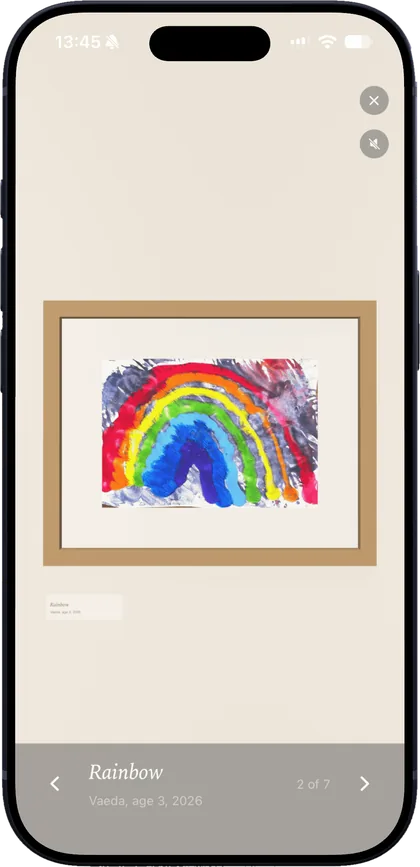
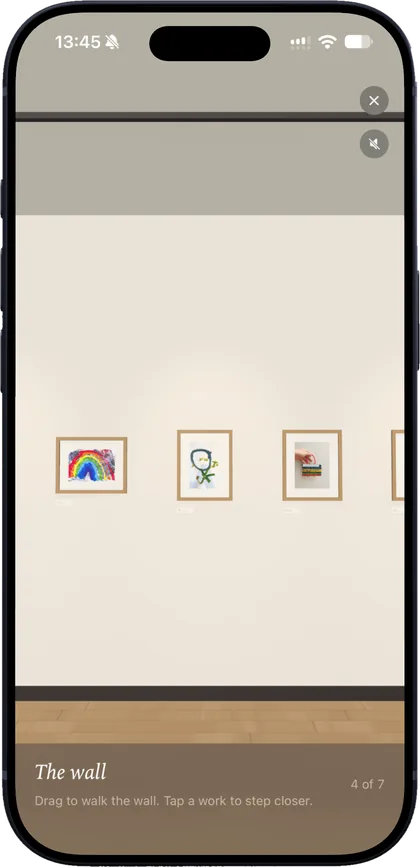
The wall
Every drawing, framed, at the size it was made.
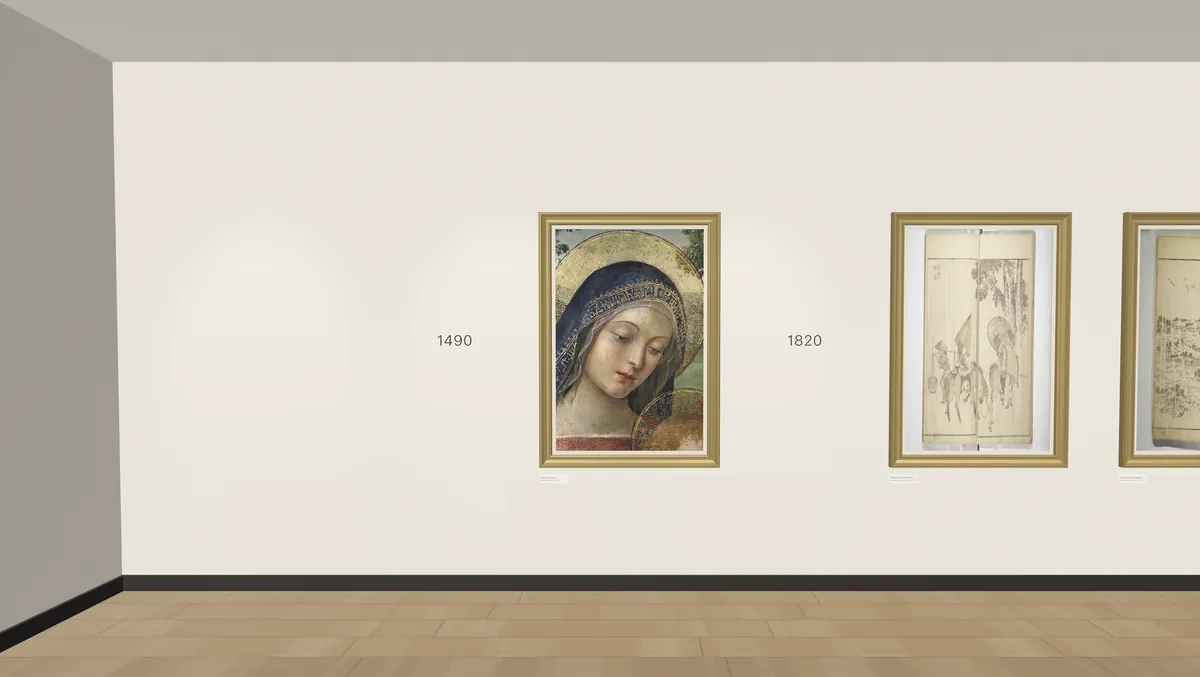
Scan a drawing with the camera. Atelier finds the page, straightens it and lifts the paper white, and it hangs on a gallery wall under museum light. An A4 page is an A4 page; scale is part of the memory.
Walk the wall from the oldest to the newest, with a marker at each new year. Every work keeps the child's own title, their age when they made it, the medium, and where the original is kept.
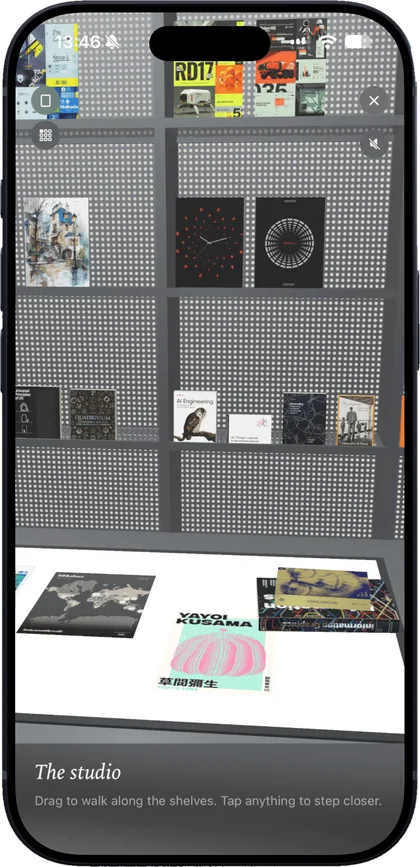
The studio
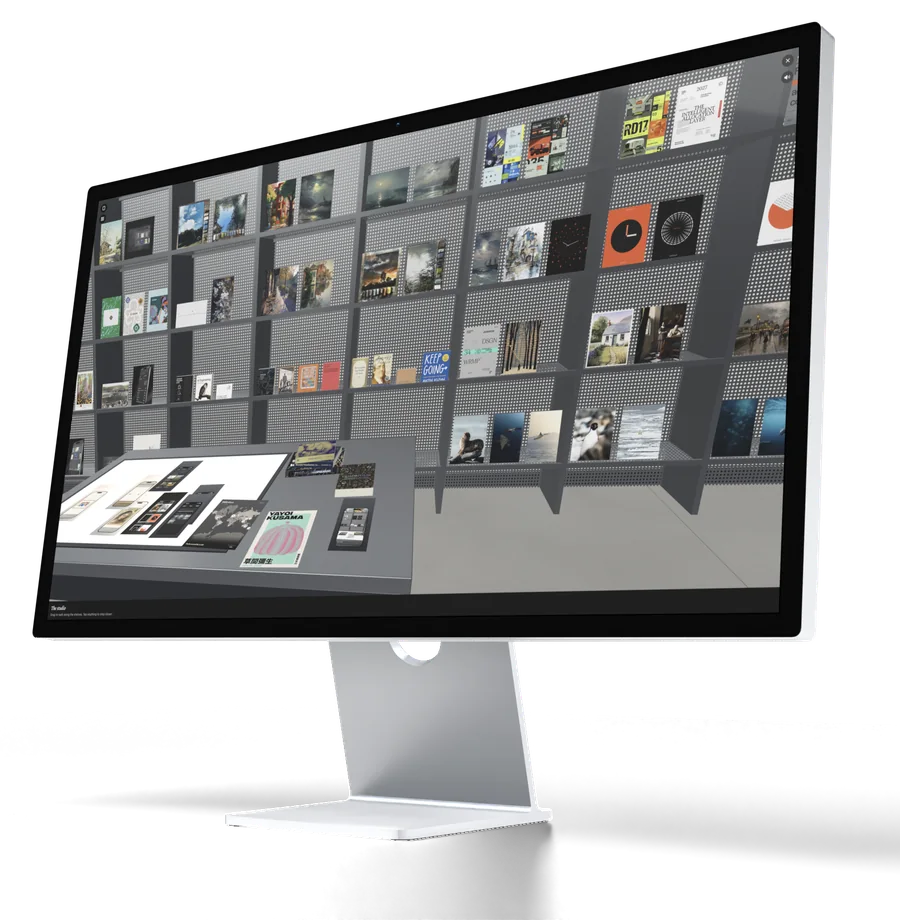
Your own work, laid flat on a lit desk.
Posters and layouts lie on a light table. Publications stand face-out on the shelves behind it. Pick a sheet up and set it down somewhere else, and it stays there.
Seen from above, the desk becomes a mood board: arrange your work beside the pictures that inspired it, add notes and type, frame a part of it and export it as a PDF at real size.
The masters
The art you love, in a quieter wing.
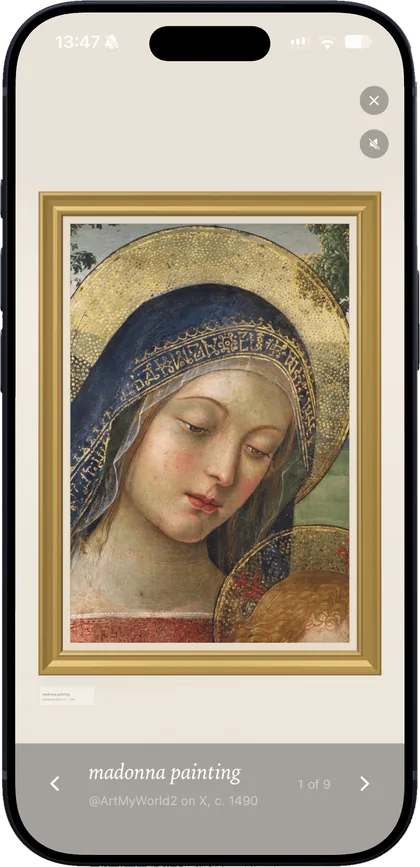
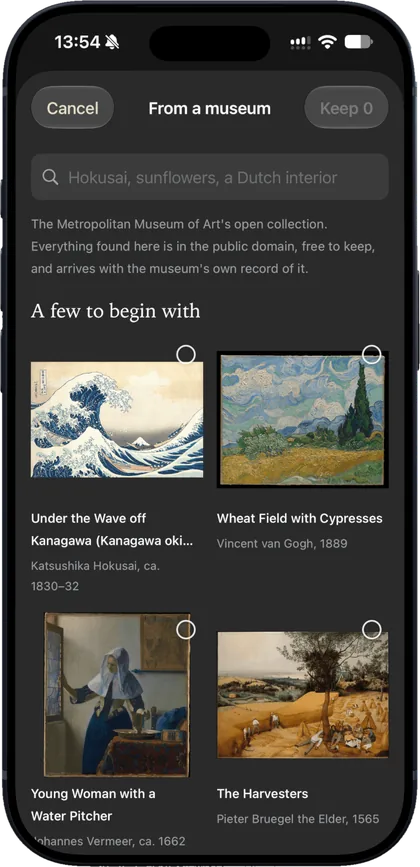
Search The Met's open collection and bring home public-domain paintings with the museum's own record: artist, date, size and credit. They hang in gilt frames on a wall of their own, apart from the family's work.
A house, not a feed
No accounts, no likes, nothing to follow.
Walk the wall, step close to a picture, leaf through the sheets on the desk. The rooms have their own quiet sound, and a speaker button for when you would rather they did not.
Made to outlive any app
Your pictures stay ordinary files.
The archive is a folder you can open in the Files app: the original files exactly as they were added, never re-encoded, with their details written beside them. Your pictures are never uploaded to us.
Export the whole archive at any time and bring it back on any device. Turn on iCloud Drive and the same archive appears on your iPhone, iPad and Mac.
Archive/
  README.md
  makers.json
  children/2024/3f9a1c2e-rainbow/
    work.json      title, maker, date, medium, size
    page-01.jpg    the page
    raw.jpg        the camera's own photo
  studio/2019/b71e04d9-jazz-series/
    work.json
    page-01.png
For the whole family
Grandparents see each new drawing as it arrives.
Mark a child as shared and invite the family through iCloud. They can add the drawings made at their house too. Everything else stays yours alone.
Find anything
Search by title, maker, tag, year or medium. Tap a colour to see every work of that colour, closest first.
From anywhere
The camera, your photos, files, a shared link or a museum. On the Mac, drop files onto the window.
Vaeda, the curator
Suggests a title, a few lines and tags for a work, on your device, and only when you ask. Where Apple Intelligence is available.
Birthdays
If you like, a note on the day a drawing was made, years later, with its picture. It never leaves the device.
Price
Free, then one purchase.
The first 30 works are free, with every room, the mood board and the family archive included. Unlocking is one purchase, once, with no subscription, for iPhone, iPad and Mac. Nothing you have added is ever locked.
- FamilyRoom for everything your family makes
- StudioRoom for your own design work and inspiration
- All accessBoth
iOS 18 or later. On the Mac, the same download.